
Free Image Resizer Tool
Upload your image, preview it, then resize to your desired size.
Drag & drop image here or click to upload
Resize any image in KB and pixels online for free with our fast and easy image resizer. No signup, no quality loss, 100% free tool.
If you are looking for a simple and free way to resize any image in KB and pixels, then you are in the right place. FreeImageResizer.net offers a powerful Image Resizer tool that helps you resize images online without losing quality.
You can change image size in KB, adjust width and height in pixels, and get perfect size images in seconds. Our online image resizer is designed for everyone. You do not need any technical skills. Just upload your image, set the size, and download the resized image.
What is an Image Resizer?
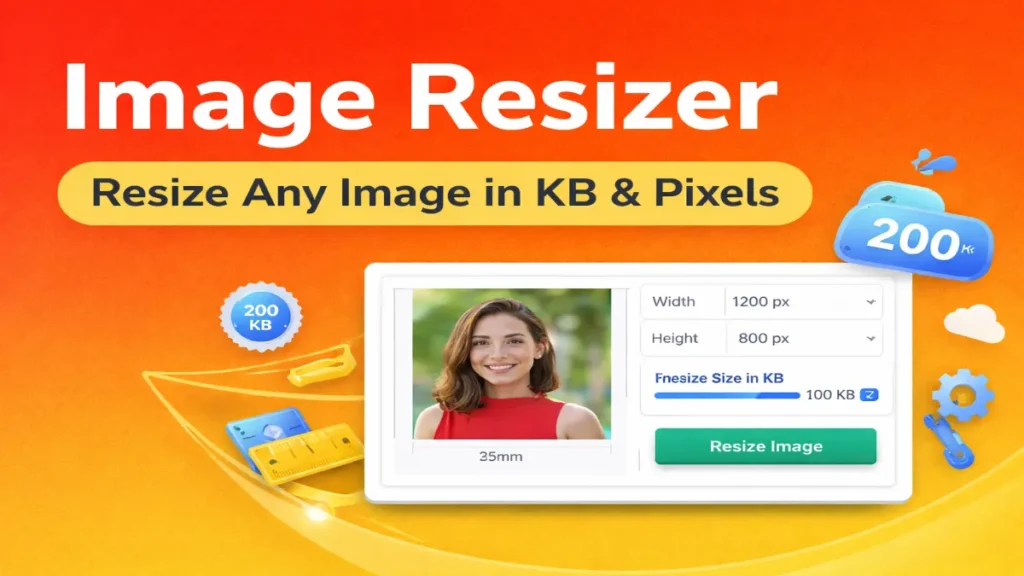
An image resizer is an online tool that helps you change the size of your images. You can resize images by: reducing file size in KB, Changing width and height in pixels, adjusting image dimensions as per your need With our free image resizer, you can easily resize photos for websites, forms, social media, and documents.
Resize Image in KB Online
Many websites and forms ask for images under a specific size, like: 20 KB, 50 KB, 100 KB, 200 KB, Our tool allows you to resize image in KB easily.
You can reduce image size without losing quality. This is very useful for: Job applications, Government forms, Online exams document uploads, Just upload your image and resize it to the required KB size.
Resize Image in Pixels Online
You can also resize image in pixels using our tool. If you want: 300×300 pixels, 600×400 pixels, 1024×768 pixels. Our image resizer lets you set exact width and height. This is perfect for: website images blog thumbnails profile pictures banners and posters
Resize Image Online Without Losing Quality
One of the biggest problems with resizing images is quality loss. But our online image resizer is designed to keep your image clear and sharp.
We use smart resizing technology to maintain high quality. You can safely resize: photos logos product images graphics documents images Without any blur.
Free Online Image Resizer – No Signup
Our free image resizer online does not require any signup or login. You can use it instantly. There are: no hidden charges, no watermark, no limit, It is 100% free for everyone.
How to Use Image Resizer Tool
Using our image resizer is very easy. First, upload your image. Second, choose the size in KB or pixels. Third, click on resize button. Fourth, download your resized image. That’s it. Your image is ready.
Resize Photo Online for Free
With FreeImageResizer.net, you can resize photo online for free. This is perfect for people who want to: upload images on websites share images on social media send images by email submit images in forms Our tool helps you get the perfect size image in seconds.
Best Tool to Resize Image Online
If you are searching for the best tool to resize image online, then FreeImageResizer.net is the right choice. Our tool is: fast, simple, secure, free, user-friendly We focus on clean design and easy use.
Resize Image for Website & SEO
Website speed is very important for Google ranking. Large images slow down your website. By using our image resizer, you can reduce image size and improve website speed. This helps in: better SEO, faster loading pages, lower bounce rate, and better user experience.
Resize Image in KB for Forms & Applications
Many government and job websites ask for images under specific KB size. Our tool is perfect for this. You can resize image in KB for: passport photos signature images ID photos certificates No need to visit cyber cafe. Do it at home.
Resize Image in Pixels for Social Media
Social media platforms require specific image sizes. Our tool helps you resize images in pixels for: Facebook, Instagram, Twitter, LinkedIn, YouTube thumbnails, Get perfect size images easily.
Online Image Resizer Works on All Devices
Our tool works on: mobile, tablet, laptop, desktop, You can resize images anywhere, anytime.
Safe and Secure Image Resizer
Your privacy is important to us. Your images are not stored permanently. All files are processed securely and removed automatically. You can use our online image resizer without any worry.
Who Should Use Image Resizer?
This tool is useful for:
- Students
- Job seekers
- Bloggers
- Website owners
- Designers
- Business owners
Anyone who works with images can use it.
Why Choose FreeImageResizer.net?
People trust FreeImageResizer.net because: tools are simple, results are fast, quality is high, everything is free, no signup needed. We are focused only on image tools, so our tools are better and more accurate.
Our Mission
Our mission is to provide free and easy image tools for everyone. We want to help users resize image online, compress photos, convert images, and optimize pictures without any difficulty.
If you are looking for an Image Resizer – Resize Any Image in KB & Pixels, then FreeImageResizer.net is the perfect tool for you. Our free online image resizer helps you resize images easily, quickly, and without losing quality. Try our image resizer online today and make your images perfect size in seconds.
Related Tools:
Frequently Asked Questions (FAQs)
An Image Resizer is an online tool that helps you change the size of your images. With our tool, you can resize images in KB and pixels easily. Just upload your image, choose the size you want, and download the resized image. Everything happens online, so no software is needed.
Yes, you can easily resize image in KB using our tool. This is very useful when websites or forms ask for images under a specific size like 50KB, 100KB, or 200KB. Our tool reduces image size without losing quality.
Yes, our image resizer allows you to resize image in pixels. You can set exact width and height like 300×300, 600×400, or any size you need. This is perfect for websites, social media, banners, and profile pictures.
No, our image resizer online is designed to keep your image quality high. We use smart resizing technology so your images remain clear, sharp, and professional even after resizing.
Yes, our Free Image Resizer is 100% free. There is no signup, no login, no watermark, and no hidden charges. You can resize unlimited images without paying anything.
Yes, it is completely safe. Your images are processed securely and are not stored permanently. After resizing, files are automatically removed. Your privacy is fully protected.
Yes, our online image resizer works perfectly on mobile, tablet, laptop, and desktop. You can resize images anytime, anywhere, directly from your browser.
Image Resizer – Resize Any Image in KB & Pixels Online
FreeImageResizer.net offers a fast, simple, and free Image Resizer tool that helps you resize images in KB and pixels without losing quality. Whether you need to resize photos for websites, forms, social media, or documents, our online image resizer makes it easy in just a few clicks. No signup, no watermark, and no software needed – just upload, resize, and download your image instantly.