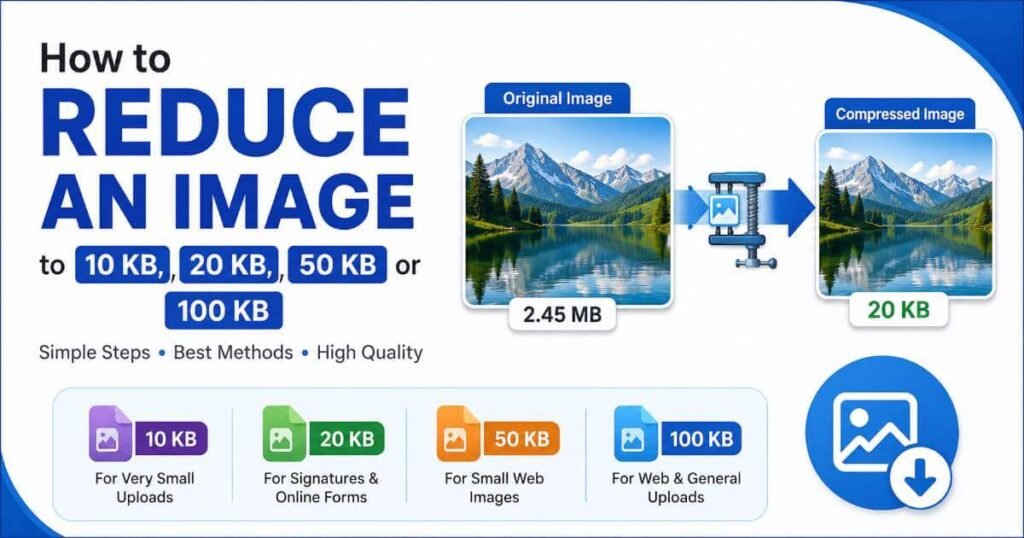

Need to make an image smaller than a specific file-size limit? Whether the requirement is 10 KB, 20 KB, 50 KB, or 100 KB, simply lowering image quality is not always the best approach.
The most reliable method is usually a combination of choosing sensible image dimensions, selecting an appropriate format, and adjusting compression. This guide explains how to reduce an image to a specific file size while keeping it as clear as possible.
Table of Contents
- Why Do Images Need to Be 10 KB, 20 KB, 50 KB or 100 KB?
- What Is the Best Way to Reduce Image File Size?
- How to Reduce an Image to 10 KB
- How to Reduce an Image to 20 KB
- How to Reduce an Image to 50 KB
- How to Reduce an Image to 100 KB
- Do Image Dimensions Affect File Size?
- Which Image Format Produces Smaller Files?
- How Much Image Quality Should You Reduce?
- How to Resize a Signature to 10–20 KB
- Tips for Reducing Images Without Making Them Look Bad
- Frequently Asked Questions
Why Do Images Need to Be 10 KB, 20 KB, 50 KB or 100 KB?
Many websites, online forms, applications, government portals, job applications, and registration systems place a maximum file-size limit on uploaded images.
For example, a form may accept an image only if it is below 20 KB, while another website may allow files up to 100 KB. In these situations, reducing the dimensions or compression level can make the image small enough to upload.
What Is the Best Way to Reduce Image File Size?
A good image-size reduction workflow is:
- Start with the required maximum file size.
- Reduce unnecessarily large image dimensions.
- Choose a suitable image format.
- Adjust compression or quality.
- Check the final file size and visual quality.
If you only compress a very large image, you may need to reduce quality much more than necessary. Resizing first can remove pixels that are not needed for the final use.
How to Reduce an Image to 10 KB
Getting an image below 10 KB can be challenging, especially when the original image is a detailed photograph. A practical approach is to reduce its dimensions first and then apply compression.
Recommended approach
- Resize the image to much smaller dimensions.
- Use JPG for photographs when appropriate.
- Lower the quality gradually rather than immediately using the lowest setting.
- Check the resulting file after every major adjustment.
Very simple graphics, signatures, icons, or images with large areas of a single color can sometimes reach 10 KB more easily than detailed photographs.
How to Reduce an Image to 20 KB
A 20 KB image is a common requirement for signatures, profile images, application forms, and other online submissions.
If the original image is several hundred kilobytes or a few megabytes, first reduce its dimensions. Then save it as JPG and adjust the quality until the file falls below the required limit.
If you specifically need a signature between 10 KB and 20 KB, you can use our Signature Resizer 10 to 20 KB .
How to Reduce an Image to 50 KB
Reducing an image to 50 KB is usually easier than reaching 10 KB or 20 KB. For many ordinary images, resizing the dimensions and using a sensible JPG quality level may be enough.
Start with the dimensions required for the final use. There is little benefit in keeping a 4000-pixel-wide image if it will only be displayed at a few hundred pixels.
How to Reduce an Image to 100 KB
A 100 KB limit gives you more room to preserve image quality. For many web images, you can reach this size by reducing unnecessary dimensions and choosing an efficient JPEG or WebP setting.
When image quality is important, try to reduce dimensions before aggressively lowering compression quality. This often produces a better-looking result.
| Target size | Useful starting approach | Common use |
|---|---|---|
| 10 KB | Small dimensions + strong optimization | Very small uploads, simple graphics |
| 20 KB | Resize + JPG compression | Signatures and online forms |
| 50 KB | Resize + moderate compression | Small web images and uploads |
| 100 KB | Resize + balanced compression | Web images and general uploads |
Do Image Dimensions Affect File Size?
Yes. Image dimensions can have a major effect on file size because a larger image contains more pixels that need to be stored and encoded.
For example, an image measuring 3000 × 2000 pixels contains far more pixels than one measuring 1200 × 800 pixels. If the smaller version is sufficient for the intended use, keeping the larger version wastes storage and bandwidth.
This is why resizing and compression should normally be considered together rather than treating compression as the only way to reduce file size.
Which Image Format Produces Smaller Files?
There is no single format that produces the smallest file for every image. The best choice depends on the type of image and where it will be used.
JPG / JPEG
JPG is commonly useful for photographs and other images with many colors. It offers adjustable lossy compression and can produce relatively small files.
PNG
PNG is useful when transparency or lossless image quality is important. However, PNG can be considerably larger than JPG for many photographic images.
WebP
WebP can provide efficient compression for many photographs and graphics. It is often worth testing when your target environment supports it.
How Much Image Quality Should You Reduce?
There is no universal quality number that works for every image. A quality setting that looks good on one photograph may look noticeably worse on another image.
Instead of choosing the lowest possible quality, gradually reduce quality while checking the image at its actual display size.
For important photographs, text-heavy graphics, or signatures, avoid excessive compression when readability and clarity matter.
How to Resize a Signature to 10–20 KB
Signature images are often subject to strict upload limits. A portal may specify a file size such as 10 KB to 20 KB, along with separate requirements for dimensions or image format.
The easiest workflow is to crop unnecessary empty space, resize the signature to suitable dimensions, select an appropriate format, and then adjust compression until the file meets the requirement.
You can use our Signature Resizer 10 to 20 KB when you need to prepare a signature for a specific file-size range.
Tips for Reducing Images Without Making Them Look Bad
- Resize before heavy compression: Remove unnecessary pixels first.
- Use the right format: JPG can work well for photographs, while PNG may be better for transparency.
- Do not over-compress: Extremely low quality can introduce visible artifacts.
- Remove unnecessary empty space: Especially useful for signatures and scanned documents.
- Check the actual file size: Do not rely only on image dimensions.
- Keep the original: Always keep an untouched copy before optimization.
Need to Reduce a JPG by File Size?
If your main goal is to resize a JPG based on a specific file-size requirement, you can also use our JPG Resizer by KB .
For general image compression and file-size reduction, visit our Reduce Image Size tool.
Why Does the Same Image Have Different File Sizes?
Two copies of the same image can have different file sizes because file size depends on more than just width and height.
The image format, compression level, visual complexity, metadata, color information, and encoding method can all affect the final result.
This is also why it is impossible to guarantee that a particular combination of dimensions will always produce exactly 20 KB. The final size has to be checked after processing.
Frequently Asked Questions
How can I reduce an image to 10 KB?
Reduce the image dimensions first, then choose an efficient format and adjust compression. Very detailed photographs may be difficult to reduce to exactly 10 KB without visible quality loss.
How can I reduce an image to 20 KB?
Resize the image to appropriate dimensions and use JPG compression when suitable. Then check the resulting file size and adjust the quality if necessary.
How can I reduce an image to 50 KB?
Start by reducing unnecessarily large dimensions. For many images, moderate JPG or WebP compression can then bring the file below 50 KB.
How can I reduce an image to 100 KB?
Resize the image to the dimensions actually required and use moderate compression. A 100 KB target generally provides more room for maintaining image quality than a 10 KB target.
Can I reduce a signature to 10–20 KB?
Yes. Resize the signature, remove unnecessary empty space, select a suitable image format, and adjust compression until the resulting file meets the required size.
Does reducing dimensions reduce image file size?
Usually, yes. Reducing the number of pixels gives the image encoder less information to store, which can substantially reduce the resulting file size.