Resize JPG Image
Upload, resize, preview, and download your JPG image instantly. 100% client-side.
Drag & drop your image here or browse
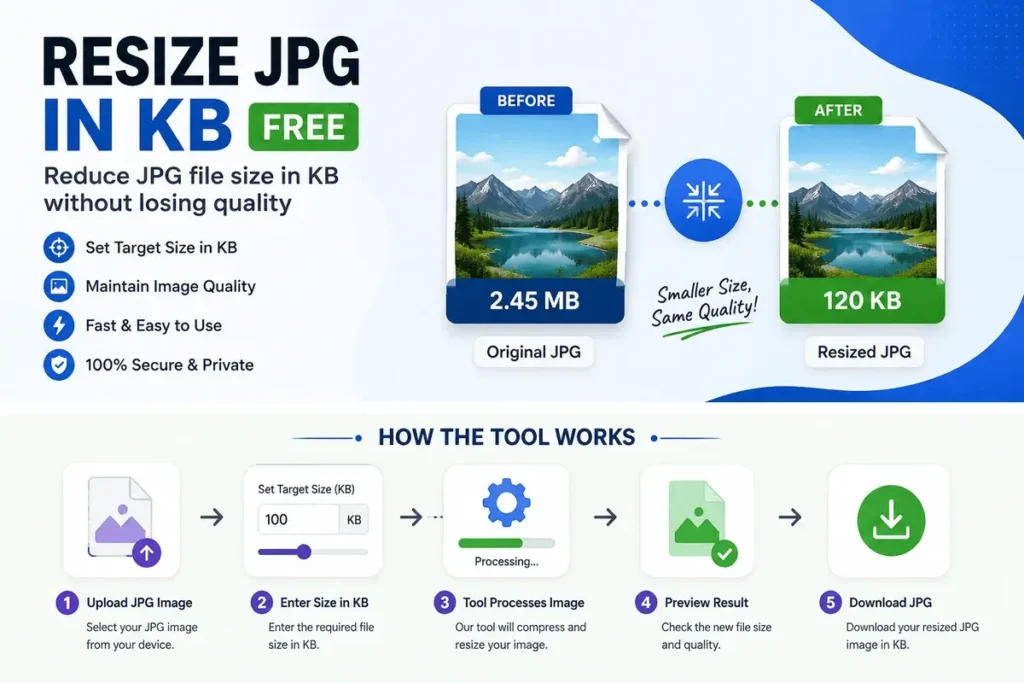
Need to Resize JPG in KB without complicated editing software? This free JPG resizer lets you reduce a JPG image to a specific file size while keeping the image practical for websites, forms, applications, and online uploads.
What Is Resize JPG in KB?
Resize JPG in KB is a tool that helps you make a JPG image smaller based on its file size. For example, if a website requires a photo under 100 KB, 200 KB, or 500 KB, you can resize and compress your JPG to meet the requirement. Unlike simply changing image dimensions, resizing JPG in KB focuses on the final file size.
How to Resize JPG in KB?
Using the tool is simple:
- Upload your JPG or JPEG image.
- Enter or select the required size in KB.
- Let the tool process the image.
- Download your resized JPG.
You don’t need Photoshop or any advanced image-editing knowledge.
Why Resize a JPG to a Specific KB?
Many websites and online forms have strict image-size limits. A photo that looks perfectly fine may still be rejected because its file size is too large.
You may need to resize JPG to 20 KB, 50 KB, 100 KB, 200 KB, 500 KB, or another required size for:
- Online application forms
- Passport and ID applications
- Government forms
- Job applications
- School and college forms
- Website uploads
- Email attachments
- Profile photos
Resize JPG Without Losing Too Much Quality
Reducing a JPG file to a very small size can affect image quality. The best approach is to balance file size and image quality rather than making the image unnecessarily small.
If your original image is very large, reducing its dimensions first and then adjusting compression can often produce a better result.
Free JPG Resizer Online
This free JPG resizer is made for quick, everyday image resizing. You can resize JPG images without installing desktop software or learning complicated editing tools. Whether you need to resize JPG in KB for an online form or simply want a smaller image for uploading, the tool provides a quick solution directly in your browser.
Frequently Asked Questions
Q.1 Can I resize JPG to 100 KB?
Yes. Set the required target size to approximately 100 KB and process your JPG image.
Q.2 Can I resize JPG to 50 KB?
Yes. The tool can be used when an application or website requires a JPG around 50 KB. Does resizing JPG in KB change the image format? No. The output remains a JPG/JPEG image.
Q.3 Is this JPG resizer free?
Yes. You can use the tool to resize JPG images without paying for basic image resizing.
Resize Your JPG Now Upload your JPG, choose the required KB size, and create a smaller image in just a few clicks. It’s a simple solution when an online form or website has a strict JPG file-size limit.